
What To Do With Your Branding Photos: 7 Strategic Ways to Use Them for Business Growth
You’ve just received your shiny new brand photos—woohoo! First off, I want to say thank you for trusting me to capture these images for your business. It’s such a joy to step into your world and help you shine. I know these photos will play a key role in how you show up, and I can’t wait to see them in action!
But here’s the big question: what should you actually do with your branding photos? Instead of letting them collect digital dust, I’m walking you through seven strategic ways to use them so your brand shines consistently across all your platforms.
Whether you’re updating your website, showing up on social, or fine-tuning your email marketing, these steps will help you maximize every single photo in your gallery.
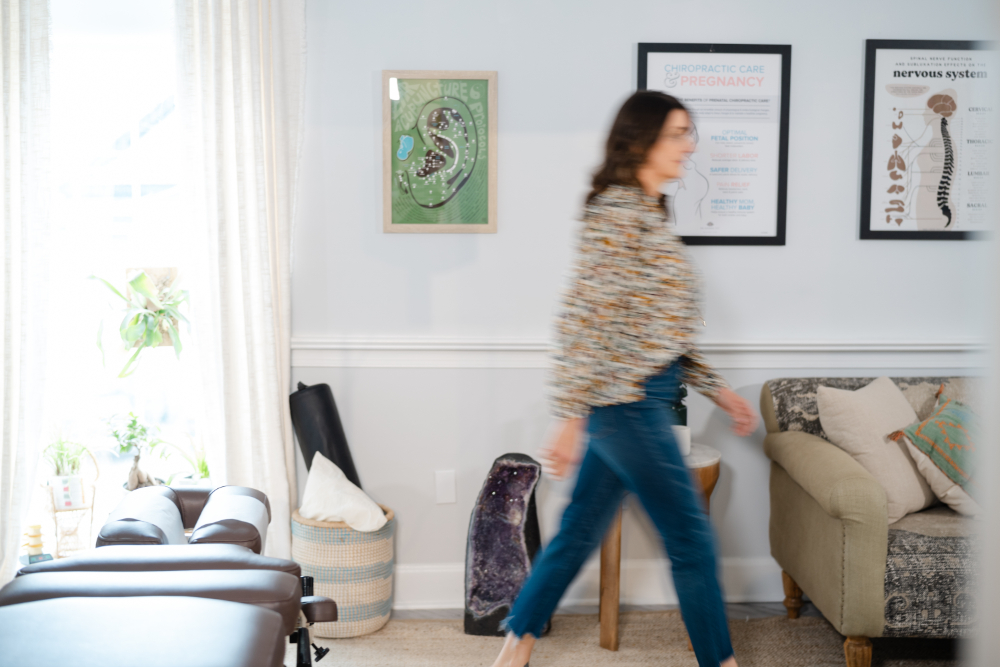
Step 1: Download and Back Up Your Branding Photos
If you work with me, your gallery will be live for at least a year, but digital safety is no joke. Don’t wait, download your entire gallery as soon as you receive it.
I recommend saving it in at least two places:
- One copy in cloud storage (like Dropbox or Google Drive)
- Another on an external hard drive
Organize your images into clearly labeled folders like “website,” “social,” “headshots,” and “products,” so you can easily find what you need, even if you aren’t using them immediately. Trust me, this will make your life so much easier and ensure you get the most use out of them.
Pro Tip: Create a separate folder of web-sized, optimized images, too. Uploading massive files can slow down your site’s performance, so it’s smart to prep smaller versions for online use.
Step 2: Upload and Organize Your Images in Canva
If you’re like most small business owners, Canva is where I bet you create the bulk of your marketing content. Uploading your brand photos to Canva ensures they’re always easy to access.
Here’s how:
- Create a dedicated folder labeled “Branding Photos – [Your Business Name]”
- Upload your full gallery
- Star your top 10–15 favorite images so you can quickly find them when designing.
This step makes designing consistent marketing materials so much faster. For example, you might use a behind-the-scenes photo for Instagram, your favorite headshot for your email signature, and a horizontal lifestyle image for your blog banners—all without leaving Canva.

Step 3: Create Canva Templates by Platform
Now that your photos are ready in Canva, you can use them to create reusable templates for every platform. Templates save time, keep your visuals consistent, and ensure you’re showing up with confidence.
Here are a few ideas for different channels:
- Reel covers to keep your feed cohesive
- Carousel templates for testimonials or tips
- Story slides for launches or engagement questions
- Cover photos you can update seasonally
- Post templates for quotes, promotions, or announcements
- Event headers for workshops or pop-ups
- Pin templates for blog posts, lead magnets, or product spotlights
- Consistency tip: stick to the same fonts and colors to encourage re-pins
Google My Business
- Square graphics for service updates or client features
Blog
- Banner images to brand your posts
- In-post quote graphics or key takeaways
Once you have these templates ready, showing up on multiple platforms becomes a 10-minute task instead of a two-hour ordeal. Your branding images can become the content you’ve been missing to keep your marketing consistent and engaging!
Step 4: Optimize Your Branding Photos for Your Website
Your website is your digital storefront, and high-quality brand photos can make all the difference in how potential clients perceive you. Warm, welcoming photos of you even help to instantly build trust.
Here’s a quick checklist for your site:
- Rename each file with descriptive keywords (e.g., “nashville-branding-photographer-dolly-delong.jpg”)
- Add alt text that describes the image and includes keywords where natural
- Resize your photos for web use (aim for under 300 KB if possible)
- Refresh your site quarterly with new images
Even small updates, like swapping your homepage hero image or changing your “About Me” photo seasonally, can keep your website feeling fresh and current.


Step 5: Elevate Your Email Marketing with Your Photos
Your email list is one of your most valuable marketing tools, so don’t skip this step! Beautiful, on-brand images help your subscribers connect with you and encourage them to keep opening your emails.
Here are a few ways to integrate your brand photos:
- Add your headshot to your email signature along with a website or lead magnet link
- Use lifestyle or workspace images in newsletters to make them feel personal
- Create branded banners for sales emails or product launches
- Include a warm, friendly photo in your welcome sequence so new subscribers can “meet” you right away
When your emails reflect your brand visually, they feel more professional and engaging—plus they help you stand out in busy inboxes.
Step 6: Refresh Your CRM Tools (HoneyBook, Dubsado, etc.)
Your client portals and CRM tools are often the first place new clients interact with your brand, so make sure they reflect your current visuals.
A few quick updates to consider:
- Swap in your new headshot for your user profile
- Update your invoice or proposal headers with branded images
- Add fresh visuals to your workflow emails and client guides
Even small touches, like a professional image in your contract header, can elevate the client experience and build trust from the start.
Step 7: Update All Social Media Profiles
Finally, review every social media platform you use and refresh your visuals. This helps create a consistent presence online and makes you more recognizable.
What to update:
- Profile pictures (especially headshots)
- Facebook and LinkedIn cover photos
- Instagram bio image and story highlight covers
- YouTube banners and profile images
Using the same headshot or signature images across platforms builds familiarity. When people start to recognize you, that familiarity builds trust—and trust is what leads to conversions.


Final Thoughts: Branding Photos Are a Business Asset
Your branding photos aren’t just pretty images—they’re powerful tools for growth. When you use them strategically, they work hard for your business behind the scenes.
From email to Instagram, every place you show up is an opportunity to tell your brand story, connect with your audience, and convert leads into clients.
So don’t let your gallery gather dust! Download your images, plug them into your systems, and create templates that make it easy to show up.
And if you need a little help or fresh ideas, I’m just an email away. I’d love to cheer you on, offer guidance, or even help you schedule your next brand photos session so you can keep your visuals fresh and impactful all year long.
Read more helpful articles here
Meet Your Friendly Nashville Branding Photographer

Dolly DeLong is a Nashville-based family & branding photographer AND a creative business owner who educates other creative business owners on systems, marketing, workflows, and launching. Dolly loves serving families with her bold, elevated, and radiant photography. She also loves educating other creative business owners on how to set up systems and workflows to help them save time in their businesses. Dolly produces weekly blog posts, podcast episodes on The Systems & Workflow Magic Podcast, and weekly YouTube Episodes.
She has a heart for serving the larger business community. Dolly shares her knowledge of launching, Email Marketing, and Business Systems with new creative business owners and family photographers in an encouraging and supportive way because she believes anyone can find joy in systems, workflows, and intentional SOPS! Plus, BONUS: Systems are where the magic happens! You can streamline and automate the backend of your creative business with ease!
Dolly’s faith and love for her family motivate her to help other business owners find the joy and freedom she’s seen in running a successful small business.
Whenever she has a spare moment, she enjoys watching TV, loves eating way too many sweets, and listens to podcasts while running or walking. Fill out her contact form to work with Dolly DeLong Photography for a family photography session.
free family portrait style guide —
a free style guide
Planning a family photo session can feel overwhelming, but I’ve got you! Grab my free guide to plan, prepare, and get excited for your next session with confidence.
Family Photography Session Planning & Style Guide
plan & style your session


